


| Broker No | Broker Name | Address | Phone | Link |
|---|---|---|---|---|
| 1 | Kumari Securities Pvt. Limited | Dillibazar, Kathmandu | 01-4418036 | https://tms01.nepsetms.com.np |
| 1_RWS | Kumari Securities Pvt. Limited | New Road, Pokhara | 061-537511 | |
| 3 | Arun Securities Pvt. Limited | Putalisadak, Kathmandu | 01-4239567 | https://tms03.nepsetms.com.np |
| 4 | Opal Securities Investment Pvt. Limited | Putalisadak,Kathmandu | 01-4423509 | https://tms04.nepsetms.com.np |
| 5 | Market Securities Exchange Company Pvt. Limited | Kichha Pokhari,Kathmandu | 01-4248973 | https://tms05.nepsetms.com.np |
| 6 | Agrawal Securities Pvt. Limited | Dillibazar, Kathmandu | 01-4424406 | https://tms06.nepsetms.com.np |
| 6_RWS | Agrawal Securities Pvt.Limited | Main Road, Biratnagar | 021-531667 | |
| 7 | J.F. Securities Company Pvt. Limited | Dharmapath, Kathmandu | 01-4256099 | https://tms07.nepsetms.com.np |
| 8 | Ashutosh Brokerage & Securities Pvt. Limited | Kichha Pokhari, Kathmandu | 01-4220276 | https://tms08.nepsetms.com.np |
| 8_RWS | Ashutosh Brokerage & Securities Pvt. Limited | United Insurance Building, Itahari | 9813284370 | |
| 10 | Pragyan Securities Pvt. Limited | Kamaladi, Kathmandu | 01-4413392 | https://tms10.nepsetms.com.np |
| 10_RWS | Pragyan Securities Pvt. Limited | College Road, Biratnagar | 021-527283 | |
| 11 | Malla & Malla Stock Broking Company Pvt. Limited | Hattisar, Kathmandu | 01-4425750, 4431607 | https://tms11.nepsetms.com.np |
| 13 | Thrive Brokerage House Pvt. Limited | Naxal,Kathmandu | 01-4419051 | https://tms13.nepsetms.com.np |
| 13_RWS | Thrive Brokerage House Pvt. Limited * | Gairipatan, Pokhara | 061-522935 | |
| 14 | Nepal Stock House Pvt. Limited | Anamnagar,Kathmandu | 01-4265888 | https://tms14.nepsetms.com.np |
| 14_RWS | Nepal Stock House Pvt. Limited | Gairapatan, Pokhara | 061-534694 | |
| 16 | Primo Securities Pvt. Limited | Putalisadak, Kathmandu | 01-4168214 | https://tms16.nepsetms.com.np |
| 16_RWS | Primo Securities Pvt. Limited | Adarsha Nagar, Birgunj | 051-529683 | |
| 17 | ABC Securities Pvt. Limited | Indrachowk, Kathmandu | 01-4230787 | https://tms17.nepsetms.com.np |
| 17_RWS | ABC Securities Pvt. Limited | Prithvi Marg, Dharan | 025-524083 | |
| 18 | Sagarmatha Securities Pvt. Limited | Dillibazar, Kathmandu | 01-4439315 | https://tms18.nepsetms.com.np |
| 19 | Nepal Investment & Securities Trading Pvt. Limited | Bhimsengola ,Kathmandu | 01-4495450 | https://tms19.nepsetms.com.np |
| 19_RWS | Nepal Investment & Securities Trading Pvt. Limited | Main Road, Biratnagar | 021-440127 | |
| 20 | Sipla Securities Pvt. Limited | NewRoad,Kathmandu | 01-4255782 | https://tms20.nepsetms.com.np |
| 21 | Midas Stock Broking Company Pvt. Limited | Kamaladi Chowk, Kathmandu | 01-4240089 | https://tms21.nepsetms.com.np |
| 21_RWS | Midas Stock Broking Company Pvt. Limited | Chauraha, Butwal | 071-438332, 071-438336 | |
| 22 | Siprabi Securities Pvt. Limited | Kupondol,Lalitpur | 01-5530701 | https://tms22.nepsetms.com.np |
| 22_RWS | Siprabi Securities Pvt. Limited | Resham Kothi, Birgunj | 051-523818 | |
| 25 | Sweta Securities Pvt. Limited | Putalisadak,Kathmandu | 01-4444791 | https://tms25.nepsetms.com.np |
| 25_RWS | Sweta Securities Pvt. Limited | Ghantaghar, Birgunj | ||
| 26 | Asian Securities Pvt. Limited | Putalisadak-32, Kathmandu, Near NMB Bank Ltd | 01-4424351 | https://tms26.nepsetms.com.np |
| 26_RWS | Asian Securities Pvt. Limited | Near to Global IME Bank, Butwal | 071-547279 | |
| 28 | Shree Krishna Securities Limited | Dillibazar, Kathmandu | 01-4441226 | https://tms28.nepsetms.com.np |
| 28_RWS | Shree Krishna Securities Limited | Municipality Office, Biratnagar | 021521699 | |
| 29 | Trishul Securities And Investment Limited | Putalisadak, Kathmandu | 01-4440709 | https://tms29.nepsetms.com.np |
| 29_RWS | Trishul Securities And Investment Limited | Newroad, Pokhara | 061-523901 | |
| 32 | Premier Securites Company Limited | Putalisadak,Kathmandu | 01-4231339 | https://tms32.nepsetms.com.np |
| 32_RWS | Premier Securites Company Limited | New Road, Pokhara | 061-534201 | |
| 33 | Dakshinkali Investment Securities Pvt.Limited | Kamaladi, Kathmandu | 01-4168640 | https://tms33.nepsetms.com.np |
| 33_RWS | Dakshinkali Investment Securities Pvt.Limited | Palpa Road, Butwal | 9851095629 | |
| 34 | Vision Securities Pvt.Limited | Anamnagar, Kathmandu | 01-4770425/452, 01-4770408 | https://tms34.nepsetms.com.np |
| 34_RWS | Vision Securities Pvt.Limited | Banepa Chowk, Banepa | 011-662802 | |
| 35 | Kohinoor Investment and Securities Pvt.Ltd | Kamalpokhari, Kathmandu | 01-4442857 | https://tms35.nepsetms.com.np |
| 35_RWS | Kohinoor Investment and Securities Pvt.Ltd | New Road, Pokhara | 061-534445 | |
| 36 | Secured Securities Limited | Putalisadak, Kathmandu | 01-4262861 | https://tms36.nepsetms.com.np |
| 36_RWS | Secured Securities Limited | Bhadrapur Road, Birtamode | 9840065920 | |
| 37 | Swarnalaxmi Securities Pvt.Limited | Kamalpokhari, Kathmandu | 01-4417178 | https://tms37.nepsetms.com.np |
| 37_RWS | Swarnalaxmi Securities Pvt.Limited | Sangam Chowk, Hetauda | 9855037137 | |
| 38 | Dipshika Dhitopatra Karobar Co. Pvt.Limited | Anamnagar, Kathmandu | 01-4102532 | https://tms38.nepsetms.com.np |
| 38_RWS | Dipshika Dhitopatra Karobar Co. Pvt.Limited | Yug Plaza, Purano Bhansar Road, Dhangadi | 091-521984/85 | |
| 39 | Sumeru Securities Pvt.Limited | Hattisar, Kathmandu | 01-4444740 | https://tms39.nepsetms.com.np |
| 39_RWS | Sumeru Securities Pvt.Limited | Birtamode, Jhapa | 023-541919 | |
| 40 | Creative Securities Pvt.Limited | Putalisadak, Kathmandu | 01-4419572 | https://tms40.nepsetms.com.np |
| 40_RWS | Creative Securities Pvt.Limited | Near to Neco Insurance, Benepa | 011-663258, 664176 | |
| 41 | Linch Stock Market Limited | New Baneshwor, Ktm | 01-4784567 | https://tms41.nepsetms.com.np |
| 41_RWS | Linch Stock Market Limited | Milanchowk, Butwal | 071-547292 | |
| 42 | Sani Securities Company Limited | Jamal, Kathmandu | 01-4166005 | https://tms42.nepsetms.com.np |
| 42_RWS | Sani Securities Company Limited | Sahidchowk, Narayanghat | 056-572272 | |
| 43 | South Asian Bulls Pvt.Limited | Kuleshwor, Kathmandu | 01-4284785 | https://tms43.nepsetms.com.np |
| 44 | Dynamic Money Managers Securities Pvt.Ltd | Kamalpokhari, Kathmandu | 01-4414522 | https://tms44.nepsetms.com.np |
| 44_RWS | Dynamic Money Managers Securities Pvt.Ltd | Near to Deva Bikas Bank, Banepa | 9843252336 | |
| 45 | Imperial Securities Co .Pvt.Limited | Anamnagar, Kathmandu | 01-4231004 | https://tms45.nepsetms.com.np |
| 45_RWS | Imperial Securities Co .Pvt.Limited | Dhamboji chok, Nepalganj,Hikola Building, | 081-524932 | |
| 46 | Kalika Securities Pvt.Limited | Putalisadak, Kathmandu | 01-4430601 | https://tms46.nepsetms.com.np |
| 46_RWS | Kalika Securities Pvt.Limited | Newroad, Nepalgunj | 081-527301 | |
| 47 | Neev Securities Pvt.Ltd | Kamaladi, Kathmandu | 01-4168601 | https://tms47.nepsetms.com.np |
| 47_RWS | Neev Securities Pvt.Ltd | Biratnagar, Ithari | 025-587408 | |
| 48 | Trishakti Securities Public Limited | Putalisadak, Kathmandu | 01-4232132 | https://tms48.nepsetms.com.np |
| 49 | Online Securities Pvt.Ltd | Putalisadak, Kathmandu | 01-4168298 | https://tms49.nepsetms.com.np |
| 50_RWS | Crystal Kanchenjunga Securities Pvt.Ltd | Jaljala Chowk, Biratnagar | 9851098200 | |
| 49_RWS | Online Securities Pvt.Ltd | College Road, Dharan | 025-530683 | |
| 50 | Crystal Kanchenjunga Securities Pvt.Ltd | New Plaza, Kathmandu | 01-4011072 | https://tms50.nepsetms.com.np |
| 51 | Oxford Securities Pvt.Ltd | Kalimati, Kathmandu | 01-4278113 | https://tms51.nepsetms.com.np |
| 51_RWS | Oxford Securities Pvt.Ltd | Lions Chowk, Narayangard | 9845066244 | |
| 52 | Sundhara Securities Limited | Sundhara, Kathmandu | 01-4263583 | https://tms52.nepsetms.com.np |
| 52_RWS | Sundhara Securities Limited | Nabil Bank Building, Besisahar | 9851194933 | |
| 53 | Investment Management Nepal Pvt. Ltd. | Tripureshwor,Kathmandu | 01-4256589 | https://tms53.nepsetms.com.np |
| 53_RWS | Investment Management Nepal Pvt. Ltd. | Newroad, Pokhara | 061-537944 | |
| 54 | Sewa Securities Pvt. Ltd. | Tripureshwor,Kathmandu | 01-4256642 | https://tms45.nepsetms.com.np |
| 54_RWS | Sewa Securities Pvt. Ltd. | Mainroad, Hetauda | 057-524454 | |
| 55 | Bhrikuti Stock Broking Co. Pvt. Ltd. | Newroad, Kathmandu | 01-4223466 | https://tms55.nepsetms.com.np |
| 55_RWS | Bhrikuti Stock Broking Co. Pvt. Ltd. | Kasturi Chowk, Ithari | 025-587273 | |
| 56 | Shree Hari Securities Pvt.Ltd | Kamaladi, Kathmandu | 01-4437562 | https://tms56.nepsetms.com.np |
| 56_RWS | Shree Hari Securities Pvt. Ltd | Birtamode, Jhapa | 023-542132, 023-542454 | |
| 57 | Araya Tara Investment And Securities Pvt. Ltd. | Anamnagar, Kathmandu | 01-4233596 | https://tms57.nepsetms.com.np |
| 57_RWS | Araya Tara Investment And Securities Pvt. Ltd. | Traffic Chowk, Butwal | 071-542561 | |
| 58 | Naasa Securities Co. Ltd. | Naxal, Kathmandu | 01-4440384 | https://tms58.nepsetms.com.np |
| 58_RWS | Naasa Securities Co. Ltd. | Adarsha Nagar, Birgunj | 9841018232 | |
| 59 | Deevyaa Securities & Stock House Pvt. Ltd | Putalisadak, Kathmandu | 01-4421488 | https://tms59.nepsetms.com.np |
| 59_RWS | Deevyaa Securities & Stock House Pvt. Ltd | Purano Buspark, Baglung | 068-521957 |

Saturday, March 21, 2020
Share Brokers in Nepal

Friday, January 24, 2020
More than 100 Keyboard Shortcuts (Microsoft Windows)
1. CTRL+C (Copy)
2. CTRL+X (Cut)
3. CTRL+V (Paste)
4. CTRL+Z (Undo)
5. DELETE (Delete)
6. SHIFT+DELETE (Delete the selected item permanently without placing the item in the Recycle Bin)
7. CTRL while dragging an item (Copy the selected item)
8. CTRL+SHIFT while dragging an item (Create a shortcut to the selected item)
9. F2 key (Rename the selected item)
10. CTRL+RIGHT ARROW (Move the insertion point to the beginning of the next word)
11. CTRL+LEFT ARROW (Move the insertion point to the beginning of the previous word)
12. CTRL+DOWN ARROW (Move the insertion point to the beginning of the next paragraph)
13. CTRL+UP ARROW (Move the insertion point to the beginning of the previous paragraph)
14. CTRL+SHIFT with any of the arrow keys (Highlight a block of text)
SHIFT with any of the arrow keys (Select more than one item in a window or on the desktop, or select text in a document)
15. CTRL+A (Select all)
16. F3 key (Search for a file or a folder)
17. ALT+ENTER (View the properties for the selected item)
18. ALT+F4 (Close the active item, or quit the active program)
19. ALT+ENTER (Display the properties of the selected object)
20. ALT+SPACEBAR (Open the shortcut menu for the active window)
21. CTRL+F4 (Close the active document in programs that enable you to have multiple documents open simultaneously)
22. ALT+TAB (Switch between the open items)
23. ALT+ESC (Cycle through items in the order that they had been opened)
24. F6 key (Cycle through the screen elements in a window or on the desktop)
25. F4 key (Display the Address bar list in My Computer or Windows Explorer)
26. SHIFT+F10 (Display the shortcut menu for the selected item)
27. ALT+SPACEBAR (Display the System menu for the active window)
28. CTRL+ESC (Display the Start menu)
29. ALT+Underlined letter in a menu name (Display the corresponding menu) Underlined letter in a command name on an open menu (Perform the corresponding command)
30. F10 key (Activate the menu bar in the active program)
31. RIGHT ARROW (Open the next menu to the right, or open a submenu)
32. LEFT ARROW (Open the next menu to the left, or close a submenu)
33. F5 key (Update the active window)
34. BACKSPACE (View the folder one level up in My Computer or Windows Explorer)
35. ESC (Cancel the current task)
36. SHIFT when you insert a CD-
ROMinto the CD-ROM drive
(Prevent the CD-ROM from
automatically playing)
Dialog Box - Keyboard Shortcuts
1. CTRL+TAB (Move forward
through the tabs)
2. CTRL+SHIFT+TAB (Move
backward through the tabs)
3. TAB (Move forward through
the options)
4. SHIFT+TAB (Move backward
through the options)
5. ALT+Underlined letter (Perform
the corresponding command or
select the corresponding option)
6. ENTER (Perform the command
for the active option or button)
7. SPACEBAR (Select or clear the
check box if the active option is a
check box)
8. Arrow keys (Select a button if
the active option is a group of
option buttons)
9. F1 key (Display Help)
10. F4 key (Display the items in
the active list)
11. BACKSPACE (Open a folder one
level up if a folder is selected in
the Save As or Open dialog box)
Microsoft Natural Keyboard
Shortcuts
1. Windows Logo (Display or hide
the Start menu)
2. Windows Logo+BREAK (Display
the System Properties dialog box)
3. Windows Logo+D (Display the
desktop)
4. Windows Logo+M (Minimize all
of the windows)
5. Windows Logo+SHIFT+M
(Restorethe minimized windows)
6. Windows Logo+E (Open My
Computer)
7. Windows Logo+F (Search for a
file or a folder)
8. CTRL+Windows Logo+F (Search
for computers)
9. Windows Logo+F1 (Display
Windows Help)
10. Windows Logo+ L (Lock the
keyboard)
11. Windows Logo+R (Open the
Run dialog box)
12. Windows Logo+U (Open
Utility Manager)
13. Accessibility Keyboard
Shortcuts
14. Right SHIFT for eight seconds
(Switch FilterKeys either on or
off)
15. Left ALT+left SHIFT+PRINT
SCREEN (Switch High Contrast
either on or off)
16. Left ALT+left SHIFT+NUM LOCK
(Switch the MouseKeys either on
or off)
17. SHIFT five times (Switch the
StickyKeys either on or off)
18. NUM LOCK for five seconds
(Switch the ToggleKeys either on
or off)
19. Windows Logo +U (Open
Utility Manager)
20. Windows Explorer Keyboard
Shortcuts
21. END (Display the bottom of
the active window)
22. HOME (Display the top of the
active window)
23. NUM LOCK+Asterisk sign (*)
(Display all of the subfolders that
are under the selected folder)
24. NUM LOCK+Plus sign (+)
(Display the contents of the
selected folder)
MMC Console keyboard shortcuts
1. SHIFT+F10 (Display the Action
shortcut menu for the selected
item)
2. F1 key (Open the Help topic, if
any, for the selected item)
3. F5 key (Update the content of
all console windows)
4. CTRL+F10 (Maximize the active
console window)
5. CTRL+F5 (Restore the active
console window)
6. ALT+ENTER (Display the
Properties dialog box, if any, for
theselected item)
7. F2 key (Rename the selected
item)
8. CTRL+F4 (Close the active
console window. When a console
has only one console window,
this shortcut closes the console)
Remote Desktop Connection
Navigation
1. CTRL+ALT+END (Open the
Microsoft Windows NT Security
dialog box)
2. ALT+PAGE UP (Switch between
programs from left to right)
3. ALT+PAGE DOWN (Switch
between programs from right to
left)
4. ALT+INSERT (Cycle through the
programs in most recently used
order)
5. ALT+HOME (Display the Start
menu)
6. CTRL+ALT+BREAK (Switch the
client computer between a
window and a full screen)
7. ALT+DELETE (Display the
Windows menu)
8. CTRL+ALT+Minus sign (-) (Place
a snapshot of the active window
in the client on the Terminal
server clipboard and provide the
same functionality as pressing
PRINT SCREEN on a local
computer.)
9. CTRL+ALT+Plus sign (+) (Place
asnapshot of the entire client
window area on the Terminal
server clipboard and provide the
same functionality aspressing
ALT+PRINT SCREEN on a local computer.)
Microsoft Internet Explorer Keyboard Shortcuts
1. CTRL+B (Open the Organize Favorites dialog box)
2. CTRL+E (Open the Search bar)
3. CTRL+F (Start the Find utility)
4. CTRL+H (Open the History bar)
5. CTRL+I (Open the Favorites bar)
6. CTRL+L (Open the Open dialog box)
7. CTRL+N (Start another instance
of the browser with the same Web address)
8. CTRL+O (Open the Open dialog box,the same as CTRL+L)
9. CTRL+P (Open the Print dialog box)
10. CTRL+R (Update the current Web page)
11. CTRL+W (Close the current window)
2. CTRL+X (Cut)
3. CTRL+V (Paste)
4. CTRL+Z (Undo)
5. DELETE (Delete)
6. SHIFT+DELETE (Delete the selected item permanently without placing the item in the Recycle Bin)
7. CTRL while dragging an item (Copy the selected item)
8. CTRL+SHIFT while dragging an item (Create a shortcut to the selected item)
9. F2 key (Rename the selected item)
10. CTRL+RIGHT ARROW (Move the insertion point to the beginning of the next word)
11. CTRL+LEFT ARROW (Move the insertion point to the beginning of the previous word)
12. CTRL+DOWN ARROW (Move the insertion point to the beginning of the next paragraph)
13. CTRL+UP ARROW (Move the insertion point to the beginning of the previous paragraph)
14. CTRL+SHIFT with any of the arrow keys (Highlight a block of text)
SHIFT with any of the arrow keys (Select more than one item in a window or on the desktop, or select text in a document)
15. CTRL+A (Select all)
16. F3 key (Search for a file or a folder)
17. ALT+ENTER (View the properties for the selected item)
18. ALT+F4 (Close the active item, or quit the active program)
19. ALT+ENTER (Display the properties of the selected object)
20. ALT+SPACEBAR (Open the shortcut menu for the active window)
21. CTRL+F4 (Close the active document in programs that enable you to have multiple documents open simultaneously)
22. ALT+TAB (Switch between the open items)
23. ALT+ESC (Cycle through items in the order that they had been opened)
24. F6 key (Cycle through the screen elements in a window or on the desktop)
25. F4 key (Display the Address bar list in My Computer or Windows Explorer)
26. SHIFT+F10 (Display the shortcut menu for the selected item)
27. ALT+SPACEBAR (Display the System menu for the active window)
28. CTRL+ESC (Display the Start menu)
29. ALT+Underlined letter in a menu name (Display the corresponding menu) Underlined letter in a command name on an open menu (Perform the corresponding command)
30. F10 key (Activate the menu bar in the active program)
31. RIGHT ARROW (Open the next menu to the right, or open a submenu)
32. LEFT ARROW (Open the next menu to the left, or close a submenu)
33. F5 key (Update the active window)
34. BACKSPACE (View the folder one level up in My Computer or Windows Explorer)
35. ESC (Cancel the current task)
36. SHIFT when you insert a CD-
ROMinto the CD-ROM drive
(Prevent the CD-ROM from
automatically playing)
Dialog Box - Keyboard Shortcuts
1. CTRL+TAB (Move forward
through the tabs)
2. CTRL+SHIFT+TAB (Move
backward through the tabs)
3. TAB (Move forward through
the options)
4. SHIFT+TAB (Move backward
through the options)
5. ALT+Underlined letter (Perform
the corresponding command or
select the corresponding option)
6. ENTER (Perform the command
for the active option or button)
7. SPACEBAR (Select or clear the
check box if the active option is a
check box)
8. Arrow keys (Select a button if
the active option is a group of
option buttons)
9. F1 key (Display Help)
10. F4 key (Display the items in
the active list)
11. BACKSPACE (Open a folder one
level up if a folder is selected in
the Save As or Open dialog box)
Microsoft Natural Keyboard
Shortcuts
1. Windows Logo (Display or hide
the Start menu)
2. Windows Logo+BREAK (Display
the System Properties dialog box)
3. Windows Logo+D (Display the
desktop)
4. Windows Logo+M (Minimize all
of the windows)
5. Windows Logo+SHIFT+M
(Restorethe minimized windows)
6. Windows Logo+E (Open My
Computer)
7. Windows Logo+F (Search for a
file or a folder)
8. CTRL+Windows Logo+F (Search
for computers)
9. Windows Logo+F1 (Display
Windows Help)
10. Windows Logo+ L (Lock the
keyboard)
11. Windows Logo+R (Open the
Run dialog box)
12. Windows Logo+U (Open
Utility Manager)
13. Accessibility Keyboard
Shortcuts
14. Right SHIFT for eight seconds
(Switch FilterKeys either on or
off)
15. Left ALT+left SHIFT+PRINT
SCREEN (Switch High Contrast
either on or off)
16. Left ALT+left SHIFT+NUM LOCK
(Switch the MouseKeys either on
or off)
17. SHIFT five times (Switch the
StickyKeys either on or off)
18. NUM LOCK for five seconds
(Switch the ToggleKeys either on
or off)
19. Windows Logo +U (Open
Utility Manager)
20. Windows Explorer Keyboard
Shortcuts
21. END (Display the bottom of
the active window)
22. HOME (Display the top of the
active window)
23. NUM LOCK+Asterisk sign (*)
(Display all of the subfolders that
are under the selected folder)
24. NUM LOCK+Plus sign (+)
(Display the contents of the
selected folder)
MMC Console keyboard shortcuts
1. SHIFT+F10 (Display the Action
shortcut menu for the selected
item)
2. F1 key (Open the Help topic, if
any, for the selected item)
3. F5 key (Update the content of
all console windows)
4. CTRL+F10 (Maximize the active
console window)
5. CTRL+F5 (Restore the active
console window)
6. ALT+ENTER (Display the
Properties dialog box, if any, for
theselected item)
7. F2 key (Rename the selected
item)
8. CTRL+F4 (Close the active
console window. When a console
has only one console window,
this shortcut closes the console)
Remote Desktop Connection
Navigation
1. CTRL+ALT+END (Open the
Microsoft Windows NT Security
dialog box)
2. ALT+PAGE UP (Switch between
programs from left to right)
3. ALT+PAGE DOWN (Switch
between programs from right to
left)
4. ALT+INSERT (Cycle through the
programs in most recently used
order)
5. ALT+HOME (Display the Start
menu)
6. CTRL+ALT+BREAK (Switch the
client computer between a
window and a full screen)
7. ALT+DELETE (Display the
Windows menu)
8. CTRL+ALT+Minus sign (-) (Place
a snapshot of the active window
in the client on the Terminal
server clipboard and provide the
same functionality as pressing
PRINT SCREEN on a local
computer.)
9. CTRL+ALT+Plus sign (+) (Place
asnapshot of the entire client
window area on the Terminal
server clipboard and provide the
same functionality aspressing
ALT+PRINT SCREEN on a local computer.)
Microsoft Internet Explorer Keyboard Shortcuts
1. CTRL+B (Open the Organize Favorites dialog box)
2. CTRL+E (Open the Search bar)
3. CTRL+F (Start the Find utility)
4. CTRL+H (Open the History bar)
5. CTRL+I (Open the Favorites bar)
6. CTRL+L (Open the Open dialog box)
7. CTRL+N (Start another instance
of the browser with the same Web address)
8. CTRL+O (Open the Open dialog box,the same as CTRL+L)
9. CTRL+P (Open the Print dialog box)
10. CTRL+R (Update the current Web page)
11. CTRL+W (Close the current window)
Thursday, January 23, 2020
Presentation And Communication Skills
What is communication?
7 C’s of communication – Francis J. Bergin4 P’s of presentation
What does my audience know about this topic?
Effective communication helps toBenefits of effective communication
Communication is
ü Interchange of thoughts, opinions or information by speech, writings or signs- Robert Anderson
ü Is the process by which information is transmitted between individuals and/or organizations so that an understanding response results- Peter Little
ü Is purposive interchange resulting in workable understanding and agreement between sender and receiver of a message –George Verdaman
1. Completeness
2. Conciseness
3. Clarity
4. Correctness
5. Consideration
6. Courtesy
7. Concreteness
A. Planning
I. Identify needs, wants and goals
Determine key idea of your message
Who is the audience?
· Age group
· Education, experience
· Culture
Remember! Content must be
Ø Around your purpose
Ø Audience’s interest
Ø Audience’s level of understanding
Ø Select word and phrases common to your audience
Failing to plan is planning to fail
B. Preparing
Prepare an attention getting opening
To elicit the audience’s interest
ü Use question
ü Make starting statement
ü Use topic related quotation or phrase
ü Relate a relevant incident
Strengthen statement by supporting materials
ü Examples
ü Statistics
ü Testimony
ü Display your numerical data un chart form
ü Display structural data in flow chart
ü Add pictures to reinforce your information
ü Use gender responsive and friendly language
o Don’t make any bias statement
o Use gender neutral language
C. Practice
Practice your presentation in front of a small audience or a colleague
ASK FOR FEEDBACK
 Is your message clear? Does your evidence support your key points? Are your graphics and illustrations clear, appealing, and relevant to the topic? Are you talking in terms of your audience’s interest? Is your close memorable? Did you achieve your intended results?
THE BEST CURE OF NERVOUSNESS IS CONFIDENCE AND CONFIDENCE COMES FROM PRACTICE\
REHEARSE THE TIMING OF THE PRESENTATION
D. Present
Structure of your presentation
Introduction
· Tell them what are you going to tell them
· Attractive
· Main body
· Tell them
· Clear and meaning full
· Conclusion
Tell them what have told them
Clear and crisp
Make a positive impression
Establish eye contact to all the audience
Speak in heightened
Conversational tone
Emphasize important points
Take brief pause before and after important point
Be sincere with your audience
Ask your audience questions to be sure that they are following you
a. Identify common misconceptions, barriers, and biases that interfere understanding
b. Anticipate problem
c. Make effective decisions
d. Reduces intensity of conflict
e. Maintain good interpersonal relation and professional dynamism
f. Enhance creativity and productivity at work
v Speedy problem solving
v Stronger decision making
v Increased productivity
v Steadier work flow
v Stronger business relationships
v Clearer professional image
v Improved stakeholder response
Tuesday, January 21, 2020
विश्वको सबभन्दा अग्लो र लामो बढी/धेरै
विश्वको सबभन्दा अग्लो
| सबभन्दा अग्लो स्थानमा रहेको हवाइ अड्डा | बाङदा एयरपोर्ट (तिब्बत) | चीन | |
| सबभन्दा अग्लो होटल | सिंगापुरको वेष्ट इन स्टामफोर्ड | २२६ं१ मिटर | |
| अग्लो स्थानमा रहेको होटल | एभेरस्ट भ्यु | नेपाल | १२,७१३ फिट |
| अग्लो स्थानमा रहेको सहर | ल्हासा तिब्बत | ||
| बोद्ध स्तुप | लुम्बिनीको बोद्ध स्तुप | नेपाल | १०५ं४ फिट |
| अग्लो मूर्ति | मदरल्याण्ड | अमेरिका | ८०.३० मिटर |
| बाँध | कु्रगर बाँध | रुस | ३०० मिटर |
विश्वको सबभन्दा लामो:-
| नदी | नाइल | ६६९० किलोमिटर | |
| नहर | भोल्गा बालिटक नहर | २३०० किलोमिटर | |
| पर्खाल | ग्रेटवाल | चीन | ६२०० माइल |
| बाँध | याकिरेता एपाइप बाँध | अर्जेन्टिना | ७२ किलोमिटर |
| रेलमार्ग | ट्रान्स, साइवेरियन रेल लाइन | सोभियत सङ्घको मास्कोदेखि नखोद्कासम्म गएको | ९४३८ किलोमिटर |
| रेल वे प्लेटफर्म | खड्कपुर प्लेटफर्म | भारतको पश्चिम वंगालस्थित खड्कपुर प्लेटफर्म | |
| अमेरिकाको अलास्का, चिलीको सान्टियागो, अर्जेन्टिनाको नर्सआयर्स हुँदै ब्राजिलको राजधानी ब्रासिलियामा समाप्त हुने | २४,१४० कि.मि | ||
| सिंचाइ नहर | कारा | ८५० कि.मि. लामो | |
| सडकी सुरुङ | लार्डल | नर्वे | २४.५ कि.मि. |
| पुल | दायाङ कुशलङ, ग्राण्डब्रिज | चीन | १६४.८ कि.मि. |
विश्वमा सबभन्दा बढी/धेरै
| गर्मी हुने ठाउँ | Death Valley | |
| जाडो हुने ठाउँ | भर्खेयांक्स | रुस |
| खर्चिलो सहर | टोकियो | जापान |
| चीन | ||
| पानी पर्ने ठाउँ | चुरापुञ्जी | भारत |
| सम्बन्ध विच्छेद गर्ने देश | अमेरिका | |
| टापु भएको देश | इन्डोनेसिया | |
| भुकम्प जाने देश | जापान | |
| जनसंख्या भएको देश साइकल चल्ने देश धान उत्पादन गर्ने देश वृक्षारोपण गर्ने देश सूर्ती उत्पादन गर्ने देश |
चीन | |
| मतदाता भएको देश | भारत | |
| बाँच्ने प्राणी | कछुवा | ३०० वर्ष |
| जंगल भएको देश जलस्रोत भएको देश बाल मृत्युदर भएको देश |
ब्राजिल | |
| ब्राजिल | ||
| प्रदुषित सह | मेक्सिको सिटी | |
| गीत रेकर्ड गर्ने | मोहम्मद रफी | |
| साइकल चल्ने सहर | जबलपुर | भारत |
| बाँच्ने किरा | क्वीन | |
| विश्वमा धेरै पाइने पंक्षी | भँगेरा | |
| प्राकृतिक रबर उत्पादन गर्ने देश | थाइल्याण्ड | |
| आलु उत्पादन गर्ने देश | जर्मनी | |
विश्वको सबभन्दा ठूलो
| अस्पताल | पिलग्रिम स्टेटहस्पिटल (न्युयोर्क, अमेरिका) | |
| कार बनाउने कम्पनी | जनरल मोटर्स कम्पनी (अमेरिका) | |
| खाडी | मेक्सिको खाडी | |
| घडी | बिगेवन (लन्डन) | |
| ग्रह | वृहस्पति | |
| चर्च | सेन्टपिटर्सको वासिलिका (भ्याटिकन सिटी) | |
| चलचित्र भवन | रेडियो सिटी म्युजिक हल (अमेरिका) | |
| ज्वालामुखी | मौनालोवा | |
| जहाजी नहर | ह्वाइट वाल्टिक नहर (रुस) | |
| जुवाघर | रिजोटर्स इन्टरनेसनल क्यासिनो (एट्लान्टिकसिटी, अमेरिका | |
| ताल | क्यास्पियन सी | |
| ताजा पानीको ताल | सुपेरियर ताल | |
| तेल क्षेत्र | गबर फिल्ड (साउदी अरब) | |
| तेल प्रशोधन केन्द्र | धावनकेन्द्र (साउदी अरब) | |
| नदी | अमेजन | |
| पर्खाल | ग्रेटवाल अफ चाइना (६२०० माइल) | |
| नहर | स्वेज | |
| पर्वत श्रंखला | द एन्डिज (अमेरिका) | |
| पानी जहाज | क्वीन एलिजावेथ | |
| पुस्तकालाय | लाइवे्ररी अफ कांग्रेस (अमेरिका) | |
| प्रशासकीय भवन | पेन्टागन –अमेरिक | |
| प्रजातान्त्रिक देश | भारत | |
| पक्षी | अस्ट्रिज | |
| महाद्वीप | एसिया | |
| महाकाव्य | महाभारत | |
| मरुभूमि | सहारा –अफ्रिका) | |
| मन्दिर | एङ्करभाट (कम्बोडिया) | |
| व्यवस्थापिका | चीनको राष्ट्रि जनकाँग्रेस | |
| बौद्ध मन्दिर | इन्डोनेसियाको बारोबुदुर | |
| वैज्ञानीक भवन | जोन अफ केनेडी स्पेस सेन्टर (अमेरिका) | |
| वायुसेवा | एरोफ्लोट (रुस) | |
| बाँध | न्यू कार्नेलया टेलिन्ज –अमेरिका) | |
| फुटवल मैदान | मराकाना (ब्राजिल) | |
| प्रायद्वीप | अरेविया | |
| महासागर | प्रशान्त | |
| मस्जिद | मालाविया –इराक) | |
| मुखद्वीप | सुन्दरवन (भारत) | |
| रंगशाला | स्ट्रोहाम स्टेडियम (चेकोस्लोभाकिया) | |
| राजदूतावास | अफगानस्थानामा रहेको अमेरिकी राजदूतावास | |
| राजाप्रासाद | बु्रनाइ सुल्तानको १७८८ कोठा भएको राजमहल | |
| राष्ट्र | रुस | |
| राष्ट्रिय निकुञ्ज | उड वफेली रा.नि. क्यानडा | |
| रेल वे स्टेसन | ग्रान्ड सेन्ट्रल टर्मिनल (न्युयोर्क, अमेरिका) | |
| वन | कोणधारी वन (रुस) | |
| विमानस्थल | किंग अब्दुल अजिज अन्तर्राष्ट्रिय विमानस्थल (साउदी) | |
| विमान बनाउने कम्पनी | अमेरिकाको वोइङ कम्पनी | |
| विद्युत गृह | करिबा (जाम्विया) | |
| विश्वविद्यालय भवन | कस्कोविवविद्यालय (रुस) | |
| स्थल जीव | हात्ती | |
Trail Balance
Introduction of Trail Balance
Importance
Advantage
- Checks Accuracy
- Helps Internal Audit
- Helps to find out errors of double posting
- Helps to prepare Balance sheet or Final Account
- Helps to identify and rectify arithmetical errors made at the time of posting and recording
Disadvantage
Points to be considered while preparing Trail balance
Format of Trail Balance
Here is the Format of Trail Balance| Trail Balance of ............... As on ............. |
|||
| Particular | L F No. | Debit | Credit |
| Opening Stock | ---- | ||
| Purchase | ---- | ||
| Sales Return | ---- | ||
| Salary, Wages, Allowance | ---- | ||
| Cash Balance,Bank Balance | ---- | ||
| Administrative, Interest, Travelling, Commission, Office, General Expenses, Sample expenses | ---- | ||
| Electricity, Water, Telephone, Postal, Legal, Bank Charges, Brokerage | ---- | ||
| Advertisement, Rent & Rates | ---- | ||
| Octrio, Import duty, Custom duty, Sales tax, Excise duty, Tax | ---- | ||
| Bills receivable,Account receivable, Prepaid Expenses | ---- | ||
| Bad debt/doubtful debt | ---- | ||
| Investment Machinery & equipment,Motor vehicle, Land and building, Furniture | ---- | ||
| Drawing | ---- | ||
| Carriage inward and outward, stationery, Fuel | ---- | ||
| Insurance premium | ---- | ||
| Depreciation, Preliminary expenses | ---- | ||
| Discount, Debtors | ---- | ||
| Audit fees | ---- | ||
| Charity & Donation | |||
| Losses | ---- | ||
| Royalty, Power | ---- | ||
| Patent right, Copy right, Goodwill | ---- | ||
| Capital, Loan, Bank loan,Reserves | --- | ||
| Sales, Creditor, Bills payable,Account payable | --- | ||
| Commission, Interest, Discount, Dividend, Rent received | --- | ||
| Advance income | --- | ||
| Income from investment | --- | ||
| Bank overdraft | ---- | ||
| various funds | ---- | ||
| Purchase Return | ---- | ||
| Outstanding Expenses | ---- |
Saturday, January 18, 2020
Nepal Chamber of Commerce
Nepal Chamber of Commerce (NCC)
Nepal Chamber of Commerce (NCC), established in 1952 AD (2009 BS) is the first chamber of commerce in Nepal. The corporate office of NCC is located in Kathmandu.NCC is the representing institution of private business entities. It plays vital role in business promotion and formulation of commercial, industrial and fiscal policies.
Formation
NCC is formed with representatives of ordinary members and registered firms. It involves different members, executive, committee with president. The other details of formulation of NCC are as follows
Membership
Any individual firm, company, corporation and organization engaged in trade, industry or related profession is eligible to receive NCC membership. There are four types of membership.
- Life member
- Ordinary member
- Affiliated member
- Honorary member
The activities of NCC are planned, programmed and carried out by executive committee comprising of 36 members, out of which 29 are elected by general assembly. Rest 4 members are nominated from among affiliated member and one from general member while another one by NCC president.
General Meeting
The general member of NCC is held annually to discuss and pass resolutions during which vacant seats of executive committee, if any, are also fulfilled. The progress report of outgoing fiscal year are also submitted to general meeting for necessary comments and approval.
Committees organized by NCC
- Advisory committee
- Consultative committee
- Nepal chamber foundation
- District coordination council
NCC performs many functions to develop national economy through promotion and protection of commerce and industries, both at the private and public sector. The main functions of NCC are as follows.
- Maintain relationship with business community
- Develop link with world business communities
- Organize trade and industrial fairs
- Issue certificate of origin
- Establish academic institutions
- Involve in social welfare
Wednesday, October 30, 2019
Prabhu Pay
Easy Pay Easy Day with Prabhu Pay
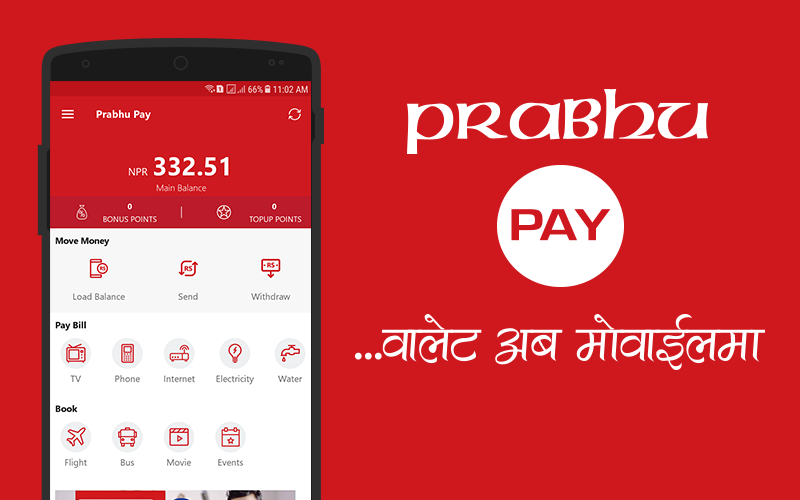
PrabhuPay consumer App allows its users to simplify the payment process. With this App, the consumers can easily make payments for the goods purchased and services rendered. Quick recharge and easy payment of various utility bills makes this App more users friendly and on top of that consumers can also transfer the small value fund to the consumers within PrabhuPay network. Newly added unique features such as Near-by-deals and Near-by-taxi make this App unique and multipurpose. Near-by deals is a geo location based customized automated notifications send to the users advising of nearby deals based on their current or last known locational proximity to the businesses. Similarly, near-by-taxi is a geo locational based feature through which the users can track the available taxis nearby them. They can easily book the taxi and even make payments by using our application.
Prabhu Pay
PrabhuPay consumer App allows its users to simplify the payment process. With this App, the consumers can easily make payments for the goods purchased and services rendered. Quick recharge and easy payment of various utility bills makes this App more users friendly and on top of that consumers can also transfer the small value fund to the consumers within PrabhuPay network. Newly added unique features such as Near-by-deals and Near-by-taxi make this App unique and multipurpose. Near-by deals is a geo location based customized automated notifications send to the users advising of nearby deals based on their current or last known locational proximity to the businesses. Similarly, near-by-taxi is a geo locational based feature through which the users can track the available taxis nearby them. They can easily book the taxi and even make payments by using our application.

